Inicio · Retouch / Skin

Retouch a portrait — clear skin, natural look

Clear acne, blemishes and spots and even out skin — refined but still natural, never plastic.

Vista previa gratis
Pruébalo sin registro
Solo tu foto — imagen a imagen
+ Añadir foto
Estándar
Ediciones gratis disponibles mientras quede capacidad diaria.

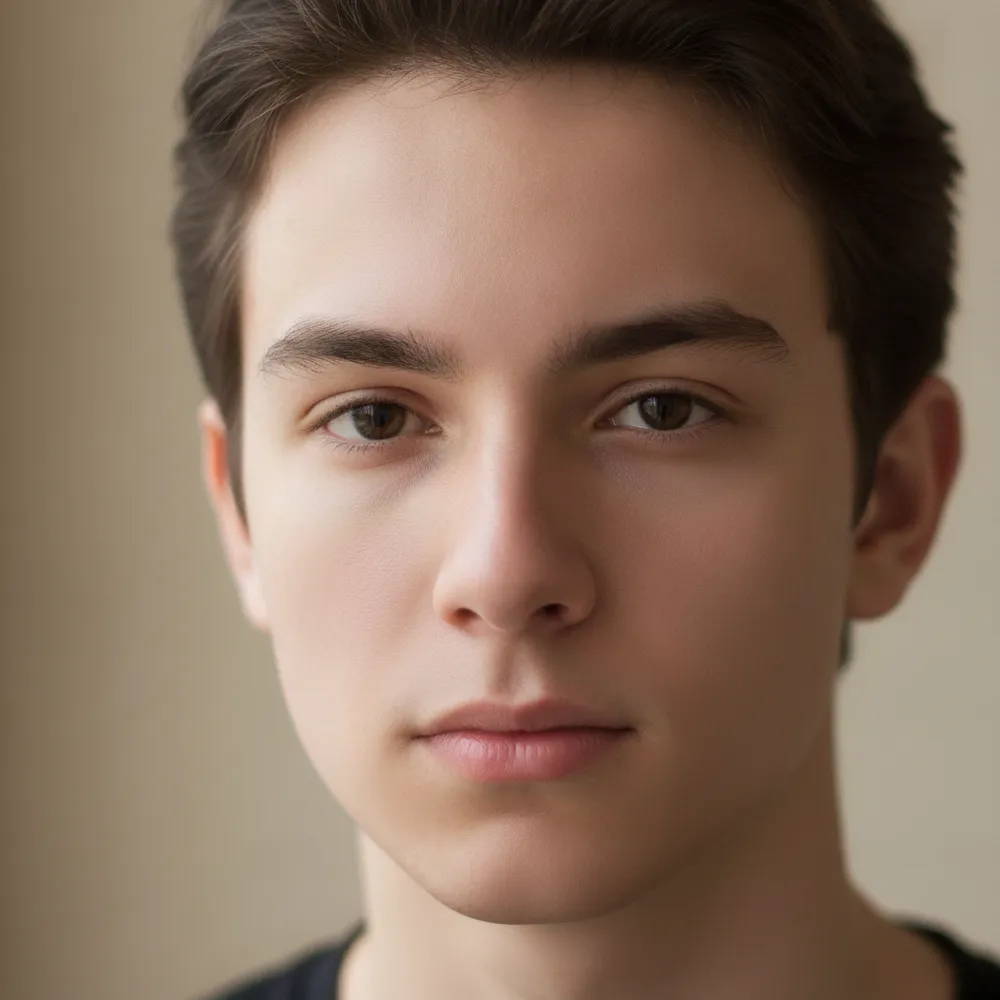
Retouch / Skin — antes y después

Ediciones reales. Sube la tuya para probarlo.
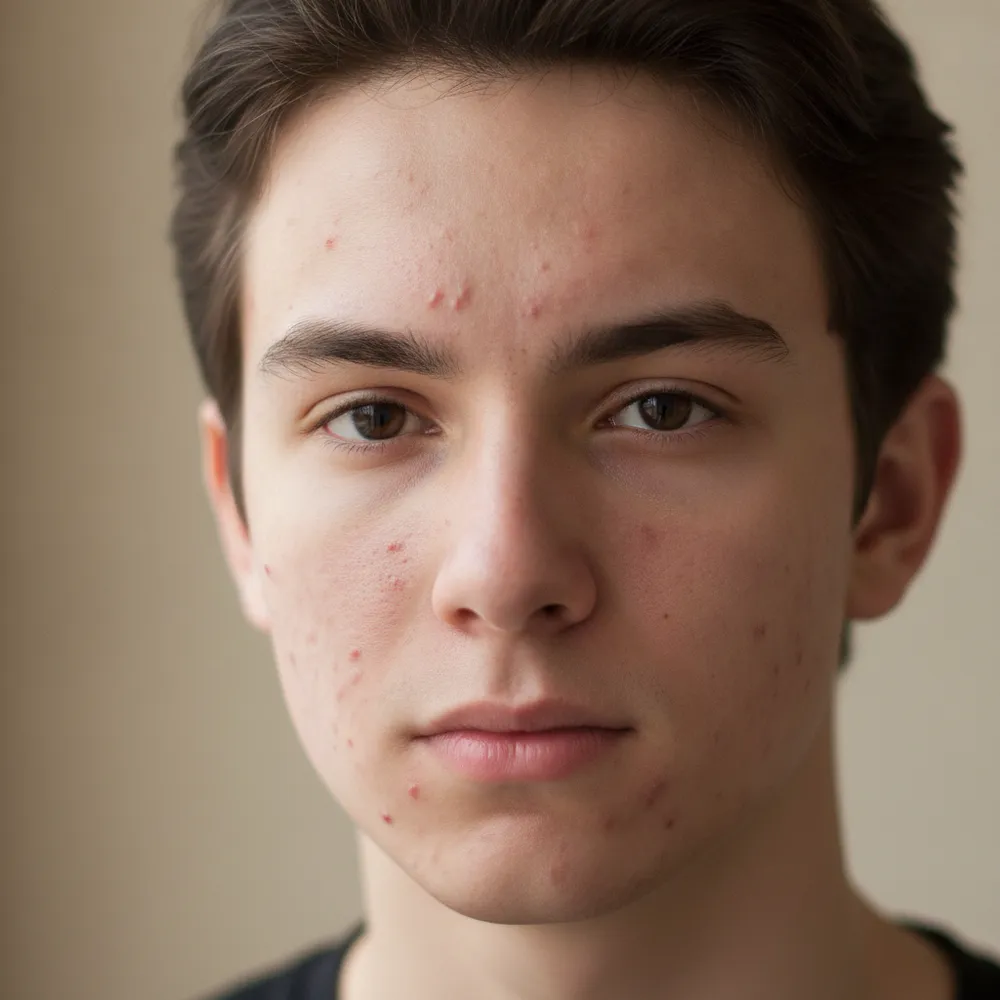
Retouch / Skin before
Retouch / Skin after
“Clear acne, keep it natural”

Cómo retouch / skin en 3 pasos

1

Sube tu foto

Arrastra la foto que quieres editar — Fix Your Pic trabaja sobre tu imagen real, no sobre una generada.

2

Describe la edición

Escribe lo que quieres, p. ej. “Clear up my skin but keep it natural”. En lenguaje normal, sin herramientas que aprender.

3

Recibe tu resultado

Ve una vista previa gratis con marca de agua en segundos. Inicia sesión para descargar a resolución completa, o hazte Pro para HD.

Retouch / Skin — Preguntas frecuentes

Does it look fake?+
No — it keeps real skin texture and features, just clearing blemishes and evening tone for a natural finish.
Can it remove under-eye bags?+
Yes — describe it, like “reduce under-eye shadows,” and it softens them naturally.
Will it change my face shape?+
It only retouches skin by default. It won't reshape your face unless you ask.

Más formas de editar tu foto