Home · Marketplace Photo

Clean up photos of things you're selling

Remove the clutter, fix the light, keep the item honest — listing photos buyers actually stop on.

Free preview
No login to try
Your photo only — image-to-image
+ Add photo
Standard
Free generations available while daily capacity lasts.

Marketplace Photo — before & after

Real edits. Upload your own to try it.
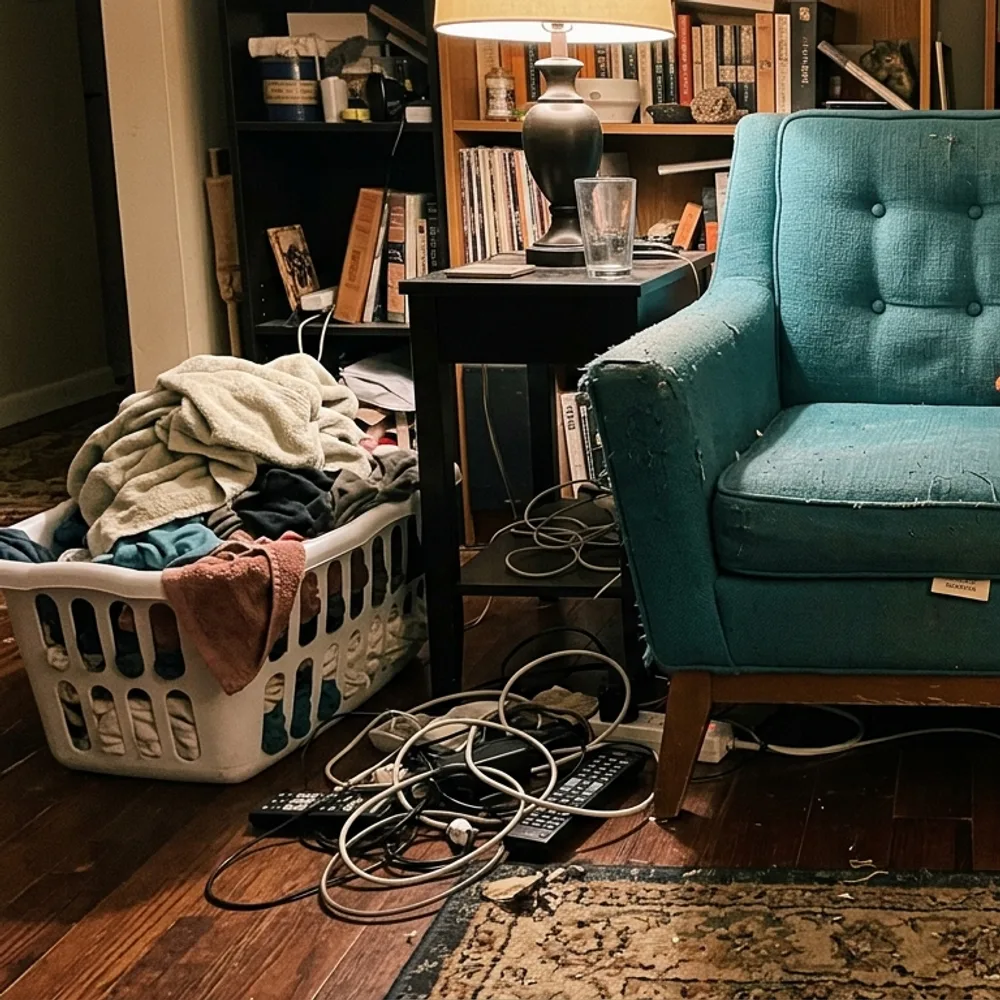
Marketplace Photo before
Marketplace Photo after
“Clear the room around the armchair”

How to clean up a listing photo in 3 steps

1

Upload your photo

Drop in the photo you want to edit — Fix Your Pic works on your real picture, not a generated one.

2

Describe the edit

Type what you want, e.g. “Remove the clutter around the chair and brighten the photo”. Plain English, no tools to learn.

3

Get your result

Your edit is ready in seconds — download it free, no account. Pro removes the watermark and gives you full resolution.

Marketplace Photo — FAQ

Can it hide scratches or damage?+
It won't — and you shouldn't. Buyers see the real item eventually; misrepresenting condition leads to returns and disputes. It cleans up the presentation (light, background, clutter), not the item's condition.
Which platforms is this for?+
Any listing photo — eBay, Facebook Marketplace, Vinted, Depop, Craigslist, Leboncoin. Clean, bright, uncluttered photos sell faster everywhere.
Is it free?+
Yes — upload and edit free, no sign-up. HD downloads without the watermark are a one-time $0.99 per photo.

More ways to edit your photo